December 12, 2025
Unlock Automation Power: A Deep Dive into n8n Workflows
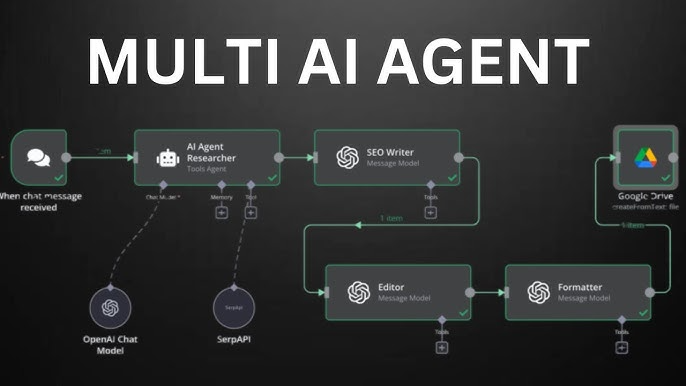

Have you ever wished you could automate repetitive tasks, save time, and focus on what really matters? With n8n workflows, automation is accessible, powerful, and surprisingly easy! In this guide, you’ll discover why n8n stands out in workflow automation, top use cases, and how to start building your own smart systems in minutes.
- Automate tasks with easy drag-and-drop interfaces
- Connect 350+ apps and services without coding
- Open-source, flexible, and scalable for any project
- Community-driven with a vast library of ready-to-use workflows
- Integrates perfectly with top hosting including Pinnacle Server
What is n8n Workflow Automation?
n8n is a node-based workflow automation tool that lets you connect apps and automate processes, both simple and complex, with an intuitive visual editor. Whether you're automating marketing, syncing databases, or building custom notifications, n8n adapts to your needs—without vendor lock-in.
Why Choose n8n instead of other Workflow Tools?
🌟 Pros
- No-code & Low-code for rapid automation
- Self-host or cloud-host without limits
- Full control, privacy, and transparency
- Huge official and community workflow library
⛔ Cons
- Initial setup requires basic server knowledge
- Learning curve if you never used workflow tools
“Automation is the secret weapon for productivity. Tools like n8n make it accessible for everyone.”
Popular n8n Workflows (With Examples)
Here are some ready-to-use workflows you can run or adapt. Explore a full collection at the n8n Workflows Gallery.
- Automate Email Marketing: Connect Gmail, Mailchimp, and Google Sheets to send and track campaigns.
- Sync Data Across Tools: Keep Airtable, Notion, and Salesforce always up to date.
- Social Media Posting: Schedule posts to Twitter, Facebook, and LinkedIn automatically.
- Daily Reporting: Gather stats from Google Analytics and send summaries in Slack or Telegram.
How To Use a Workflow
- Browse the n8n workflow library
- Clone or import a workflow template into your n8n instance
- Connect your apps & tweak the settings for your needs
- Set scheduling/rules and turn on your workflow!
n8n vs Zapier: At-a-Glance Comparison
Get started on Pinnacle Server and unleash automation on your terms.
Frequently Asked Questions (FAQ)
Yes, n8n is open source and free to use for individuals and businesses. You pay only for hosting if you want full control and privacy.
You only need a server or cloud hosting. Pinnacle Server provides ready-to-use n8n hosting for all sizes.
Absolutely! You can export/import workflows between your instances and between cloud/self-hosted versions easily.
Check out the official n8n Workflows Gallery for community-verified templates and inspiration.
Want to see more workflow ideas or hosting tips? Let us know in the comments below!